

Description
Download My Fantasy Maker – face swap, image editor, photo editor, photo swap, face swap app, image manipulation, photo editing tool, face swap tool, photo swap app, image editing app
Overview
My Fantasy Maker is a mobile application developed for users seeking a straightforward solution for face-swapping in digital images. Designed with simplicity in mind, the app enables users to replace faces in photographs with minimal effort, making it ideal for both playful experimentation and more deliberate creative edits. Its core purpose lies in democratizing photo manipulation by offering accessible tools that do not require advanced technical knowledge. The app serves a broad audience, from casual users who enjoy fun image transformations to individuals exploring digital art or social media content creation.
By focusing on ease of use and immediate results, My Fantasy Maker addresses the common challenge of complex photo editing software that often overwhelms beginners. It provides a streamlined workflow where users can select a source face, transfer it to a target image, and adjust the integration in real time. This functionality is particularly relevant in an era where visual content dominates social platforms, and users increasingly seek tools to personalize and enhance their digital presence. The app’s presence in the photo and video category underscores its role in the growing ecosystem of mobile creativity tools.
The developer, My Fantasy Maker, has not provided additional background information beyond the app’s name. However, the app’s long-standing presence—released on December 10, 2011—suggests a stable, enduring design that has withstood the test of time. Despite its age, the app remains relevant due to its core functionality and user-centric approach. It continues to serve users who prioritize simplicity over advanced features, making it a niche but valuable tool in the mobile editing landscape.
Key Features & Functionality
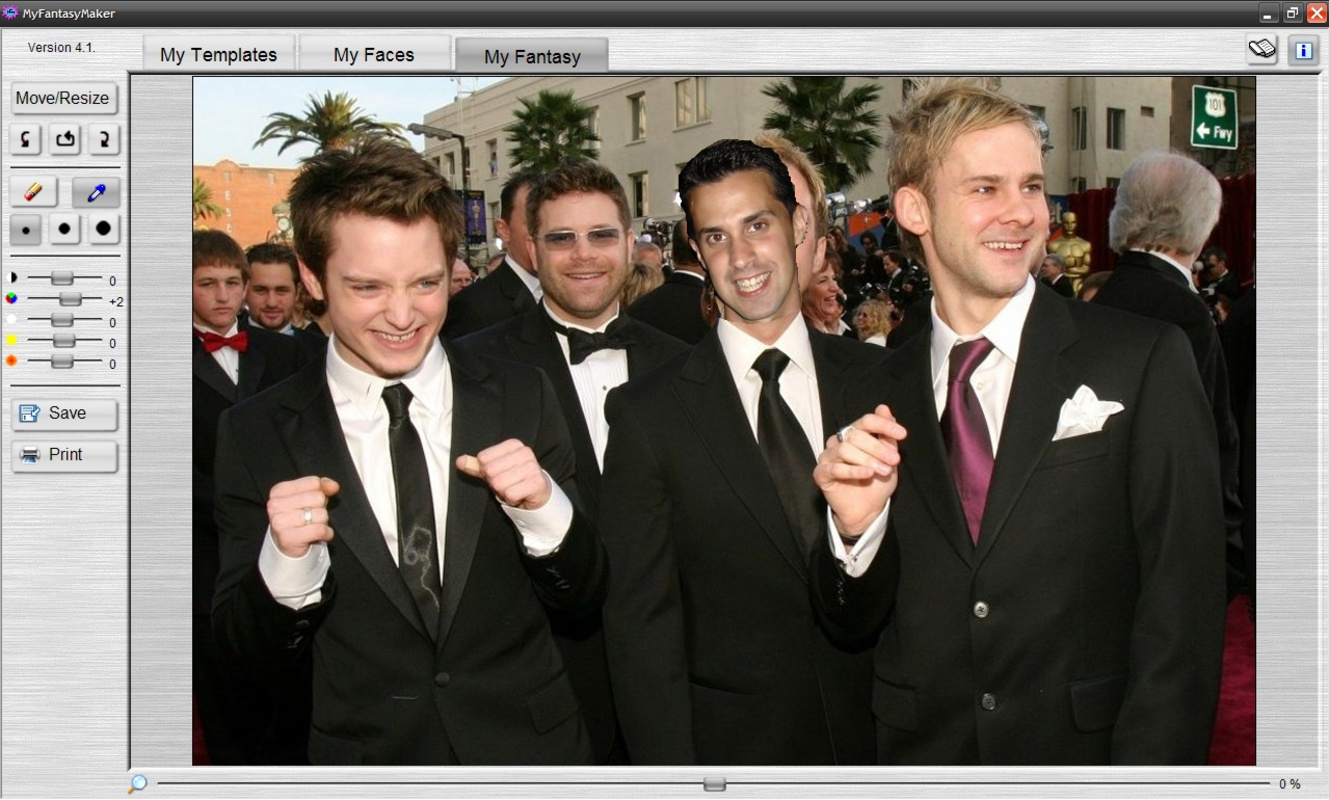
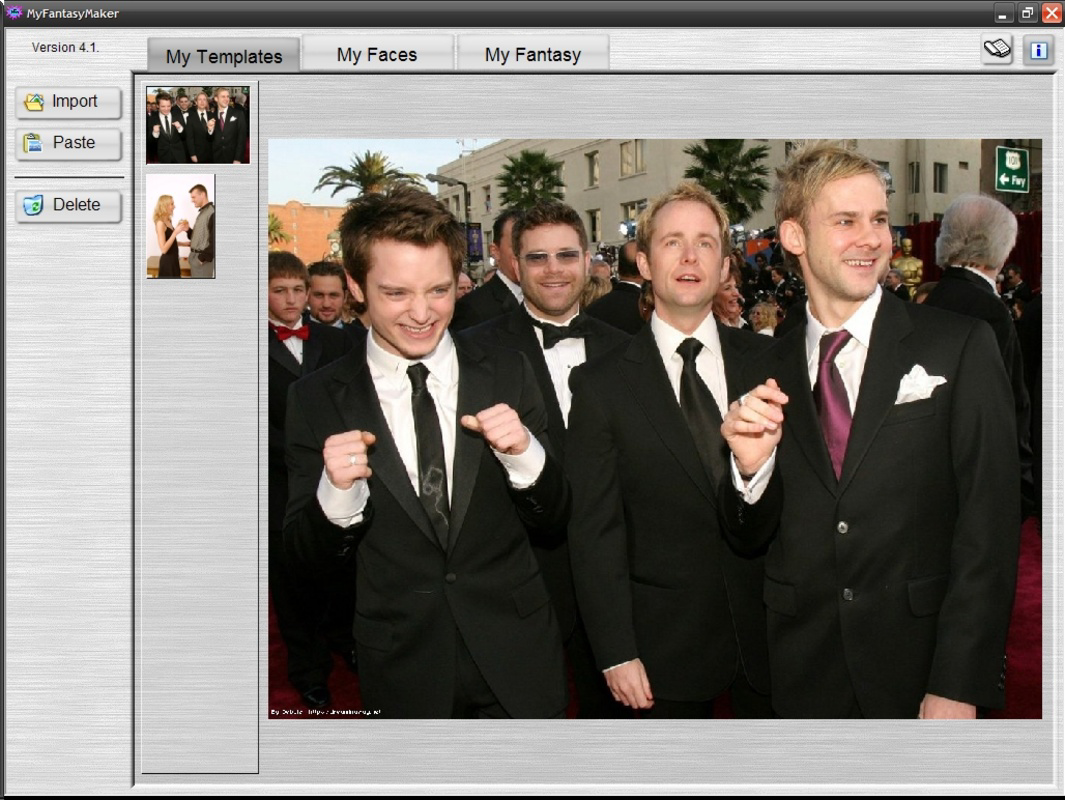
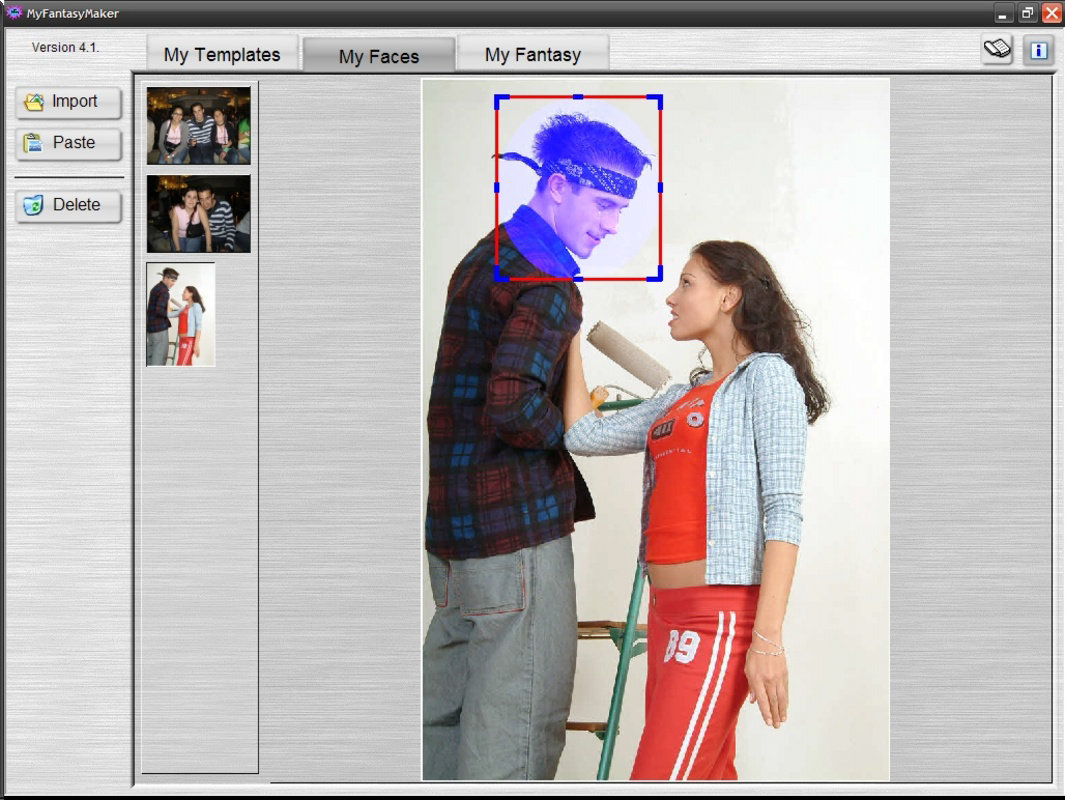
- Easy Face Swapping: The app allows users to select a face from one image and seamlessly transfer it to another. The interface guides users through selecting the source face and placing it onto a target image, minimizing technical barriers.
- Customizable Adjustments: After the swap, users can modify the face’s size, brightness, contrast, saturation, and pixelation to ensure a natural blend with the new image. These tools help reduce artificial-looking edits and improve realism.
- Zoom Feature: A built-in zoom function enhances precision during face selection and placement. This feature supports detailed work, especially when dealing with small or complex facial features.
- No Watermark in Trial: Unlike many similar apps, My Fantasy Maker does not add watermarks to edited images during the trial phase. This allows users to freely share and test their creations without branding interference.
- User-Friendly Interface: The app’s layout is clean and intuitive, with logical navigation between steps. From opening an image to finalizing the edit, each action is clearly presented, reducing user frustration and learning time.
These features collectively support real-world use cases such as creating humorous social media posts, designing custom avatars, or experimenting with digital storytelling. For example, a user might swap their face into a celebrity photo for entertainment or integrate a family member’s image into a historical scene for a personal project. The combination of simplicity and functionality makes it a practical choice for everyday editing needs.
Interface, UX & Performance
My Fantasy Maker presents a clean, minimalist interface that prioritizes usability over visual complexity. The layout is structured around a central editing canvas, with clearly labeled tools and buttons positioned for easy access. Navigation is linear and predictable—users open an image, select a face, adjust settings, and export the result—making the process intuitive even for non-technical users.
Visual design elements are functional rather than decorative, ensuring that the focus remains on the image being edited. The app uses a neutral color palette and straightforward icons, reducing cognitive load. The responsiveness of the interface is consistent with the app’s lightweight nature, though the developer did not list formal performance metrics. Although the app is 25.6 MB in size, it operates efficiently on a range of Android devices, suggesting optimized code and minimal resource usage.
Stability appears to be a strength, as the app has remained available since its 2011 release without reported widespread crashes. However, specific compatibility details for different device categories were not disclosed. Users on older or low-end devices may experience varying performance, but the app’s small footprint suggests it remains accessible to a wide audience. Overall, the user experience reflects a long-term commitment to simplicity and reliability.
Platform Compatibility & Technical Requirements
My Fantasy Maker is available exclusively on the Android platform. The app is compatible with Android operating systems, though the developer did not specify minimum OS requirements. This lack of detail means users should exercise caution when installing on older devices, particularly those running Android versions prior to 4.0.
The app has a file size of 25.6 MB, which is relatively small for a photo editing tool. This compact size contributes to faster download times and reduced storage consumption, making it suitable for users with limited device space. The app is currently offered at no cost, with no in-app purchases or subscription tiers mentioned. The version number is listed as 1.0, indicating a stable, foundational release, though no update history or changelog is provided.
Compatibility with newer Android versions was not explicitly confirmed. Users are advised to check their device’s OS version and ensure it meets the app’s requirements, though specific thresholds were not listed. The absence of detailed technical specifications is a common limitation for legacy apps, but the app’s continued availability suggests it remains functional across a broad range of devices.
Pros and Cons
Pros
- Simple, intuitive interface ideal for beginners
- Face swapping functionality with real-time adjustments
- Zoom feature enhances precision during editing
- No watermark in trial version for unrestricted sharing
- Lightweight file size (25.6 MB) for easy installation
- Free to download and use without hidden costs
Cons
- Developer did not provide detailed system requirements
- Version 1.0 suggests limited recent updates
- No information on support for newer Android versions
- Missing advanced editing tools found in modern apps
- Outdated release date may affect compatibility with current devices
- No official update history or changelog available
FAQ
Is My Fantasy Maker safe to download and use?
The app is available for free on Android and has been in circulation since 2011. While no security audits were mentioned, its long-standing presence and small file size suggest it is free from known malware. Users should always download from trusted sources.
Can I use My Fantasy Maker on iOS devices?
Currently, the app is only available on Android. No iOS version has been released, and the developer did not indicate plans for cross-platform support.
Does My Fantasy Maker require an internet connection?
Based on available information, the app appears to function offline. All editing processes are handled locally, which enhances privacy and reduces dependency on connectivity.
Are there in-app purchases or ads?
The app is listed as free with no mention of in-app purchases, subscriptions, or advertisements. Users can access core features without additional costs.
How often is My Fantasy Maker updated?
The app’s version is listed as 1.0, and no update history was provided. This suggests minimal recent changes, though the app remains functional for basic face-swapping tasks.
Final Thoughts
My Fantasy Maker stands as a testament to the enduring value of simplicity in mobile app design. Despite its age and lack of modern features, it continues to serve users who prioritize ease of use and immediate results in face-swapping tasks. Its clean interface, no-watermark trial, and lightweight footprint make it a reliable choice for casual creators and hobbyists. While it may not match the capabilities of newer, feature-rich editors, it excels in delivering a focused, distraction-free experience.
For users seeking a no-frills tool to experiment with image manipulation—whether for fun, social media, or personal projects—My Fantasy Maker offers a practical solution. Its long-standing presence in the Android ecosystem speaks to its reliability and user appeal. In a market flooded with complex apps, this one reminds us that sometimes, the best tools are the ones that just work.
Download My Fantasy Maker now
Guides & Tutorials for My Fantasy Maker
How to install My Fantasy Maker
- Click the Preview / Download button above.
- Once redirected, accept the terms and click Install.
- Wait for the My Fantasy Maker download to finish on your device.
How to use My Fantasy Maker
This software is primarily used for its core features described above. Open the app after installation to explore its capabilities.
User Reviews for My Fantasy Maker 0
No reviews found


